Skip to content
TR EN DE
Log in Try for free

AI-assisted event photo platform

The easiest way to reach event photos, with face recognition.

Guests and participants find the photos they appear in with a selfie, then download them, buy them or order prints — with the options you choose.

  • Guests don’t install an app; they join in the browser via link or QR code.
  • No credit card needed for the trial.
  • Sign in with one CXR account.
Wedding photo: a large wedding by a lake at sunset, guests dancing with the bride
Wedding
Graduation album: caps thrown into the air
Graduation
Corporate event album: a speaker on stage and the hall
Corporate

Create galleries and albums for your event.

Sort event photos into albums by content. Guests and participants choose albums such as first dance, cake, ceremony or sessions to browse the photos.

Decide who sees the gallery and albums.

Switch the whole gallery or individual albums on and off. You decide which photos visitors see.

Sample

Screens and images in this section are representative; nothing is sent, paid or registered here.

AI-assisted face recognition

FIND ME for guests and participants

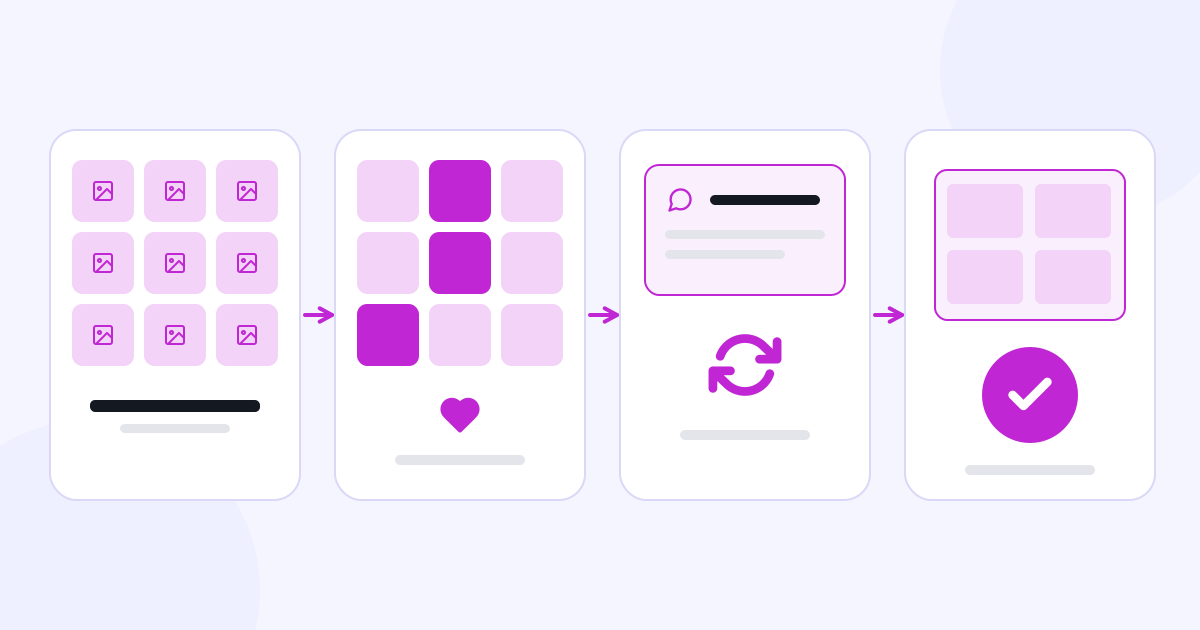
A visitor takes a selfie or uploads a photo of themselves. AI-assisted face recognition helps find matches in the event photos. They can then view, download or buy the results as the event allows.

Sample

1 · Selfie

Sample selfie: a woman with curly hair in a green dress

The visitor takes a selfie.

2 · Event photos

  • Event photo 1
  • Event photo 2
  • Event photo 3
  • Event photo 4
  • Event photo 5
  • Event photo 6

No face recognition runs in this example and no photo is uploaded; the matches are marked in advance.

A selfie taken or uploaded for the search is used only for matching and the search history, and is deleted automatically after 30 days. Face matching results are not guaranteed; some photos may not be found.

How selfies, face templates and biometric data are processed is explained in the biometric data texts under Legal information. Read the legal information

Which events is Momento for?

  • Weddings and private parties

    Collect guests’ shots and the professional albums in one event.

  • Graduations and school events

    Sort ceremony, class and celebration photos into albums and share them.

  • Corporate events

    Publish speaker, session and participant photos in organised albums.

  • Marathons and sports events

    Participants search for the photos they appear in with Find Me.

  • Festivals and concerts

    Share photos of large events in albums.

  • Tour operators and trips

    Share trip photos with participants in albums.

Invite people to your event with a link or QR code.

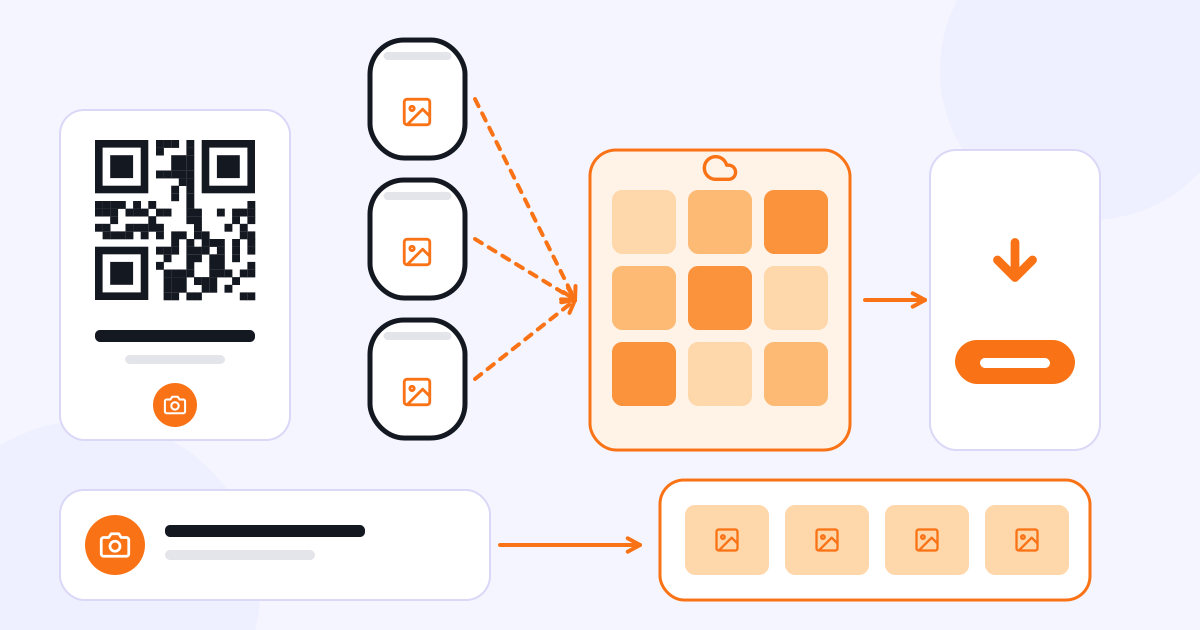
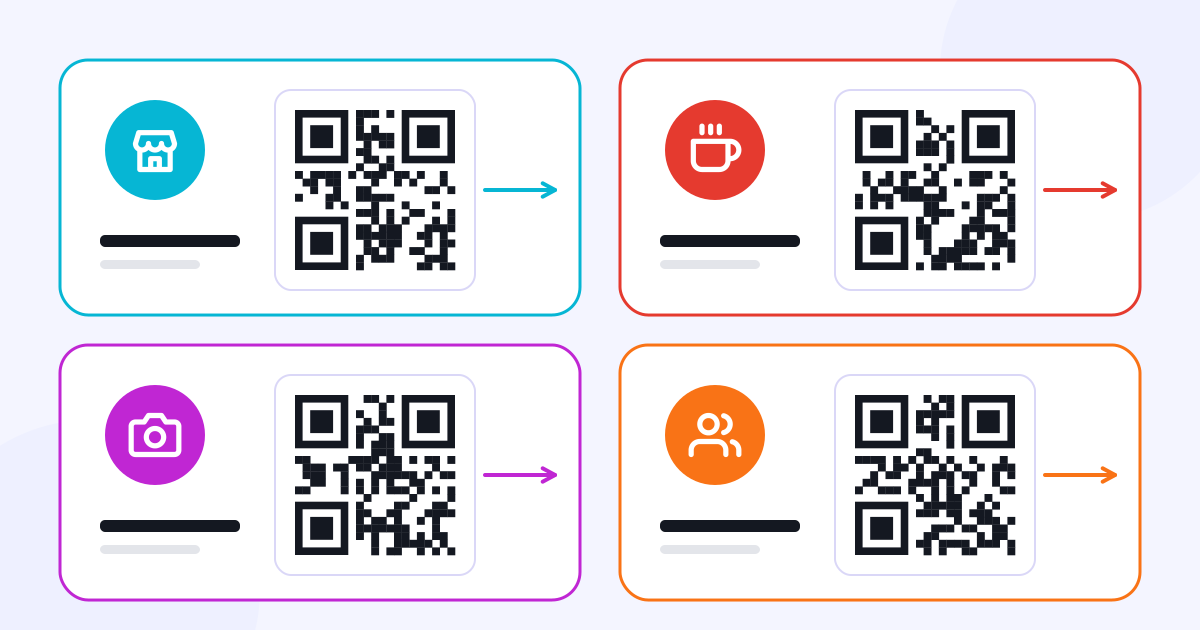
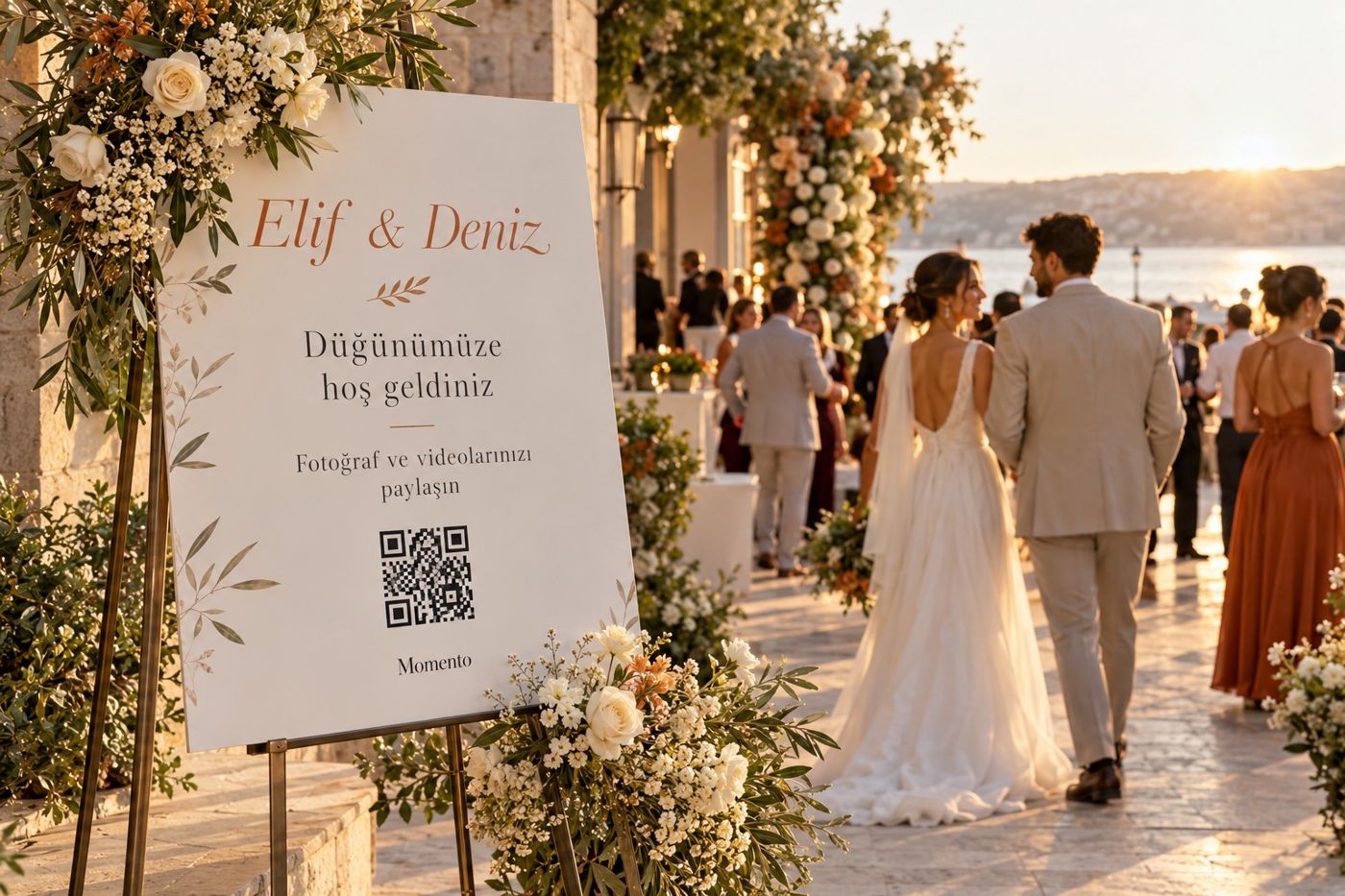
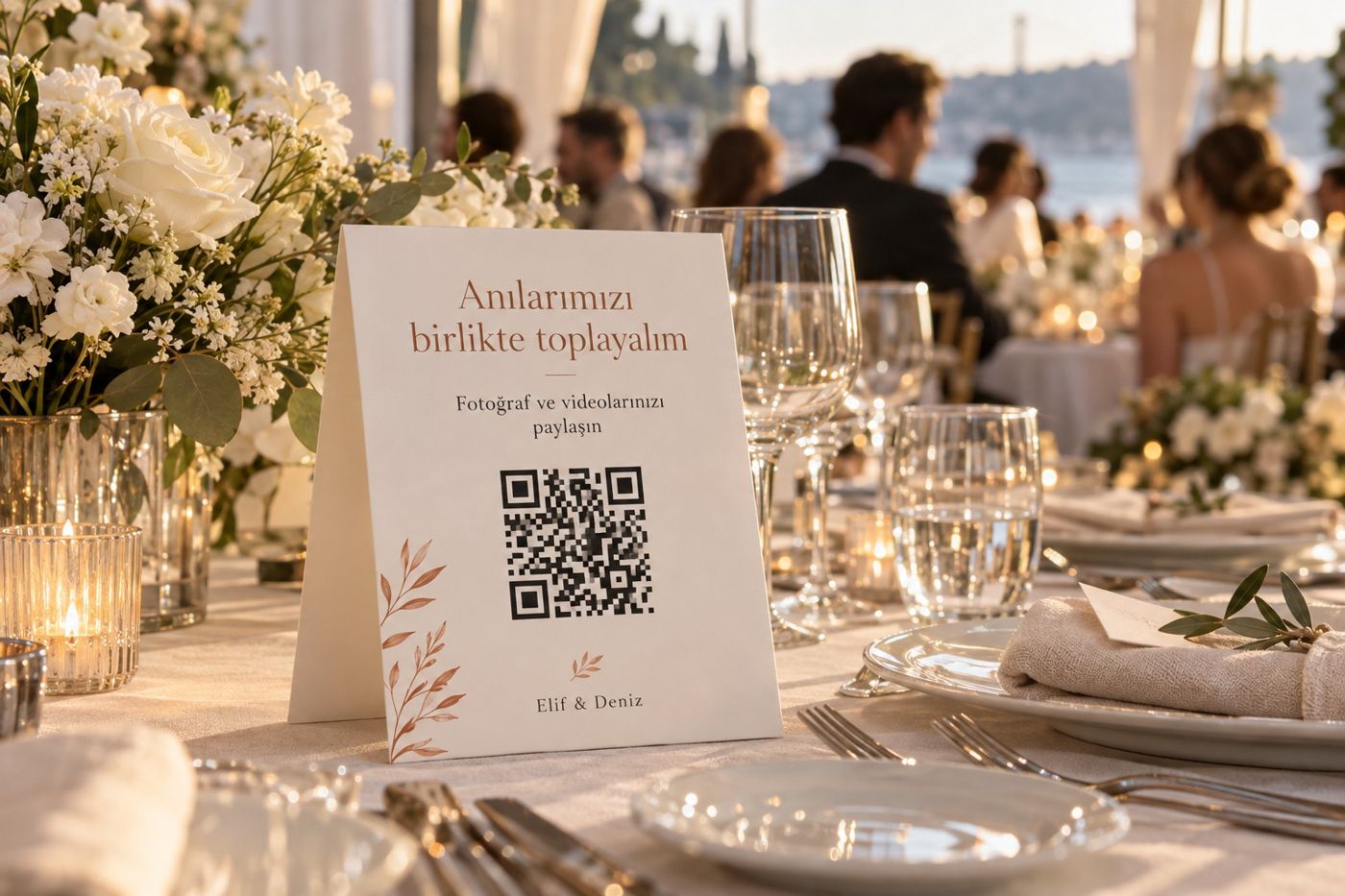
Create your event in advance. Share its link with guests and participants in WhatsApp groups, by email or through your other channels. At the venue, use the QR code on welcome boards, roll-ups and table cards.

  • Welcome board with a QR code prepared for Elif and Deniz at a wedding entrance.

    Welcome board

    Guide guests to your event with the QR code at the entrance.

  • Card with a QR code on a wedding table, leading to photo and video sharing.

    Table card

    Guests scan the QR code on the table to share their photos and videos.

  • Roll-up with a QR code for photo access at a corporate event entrance.

    QR at the venue

    At corporate events, use the QR code on roll-ups and signage.

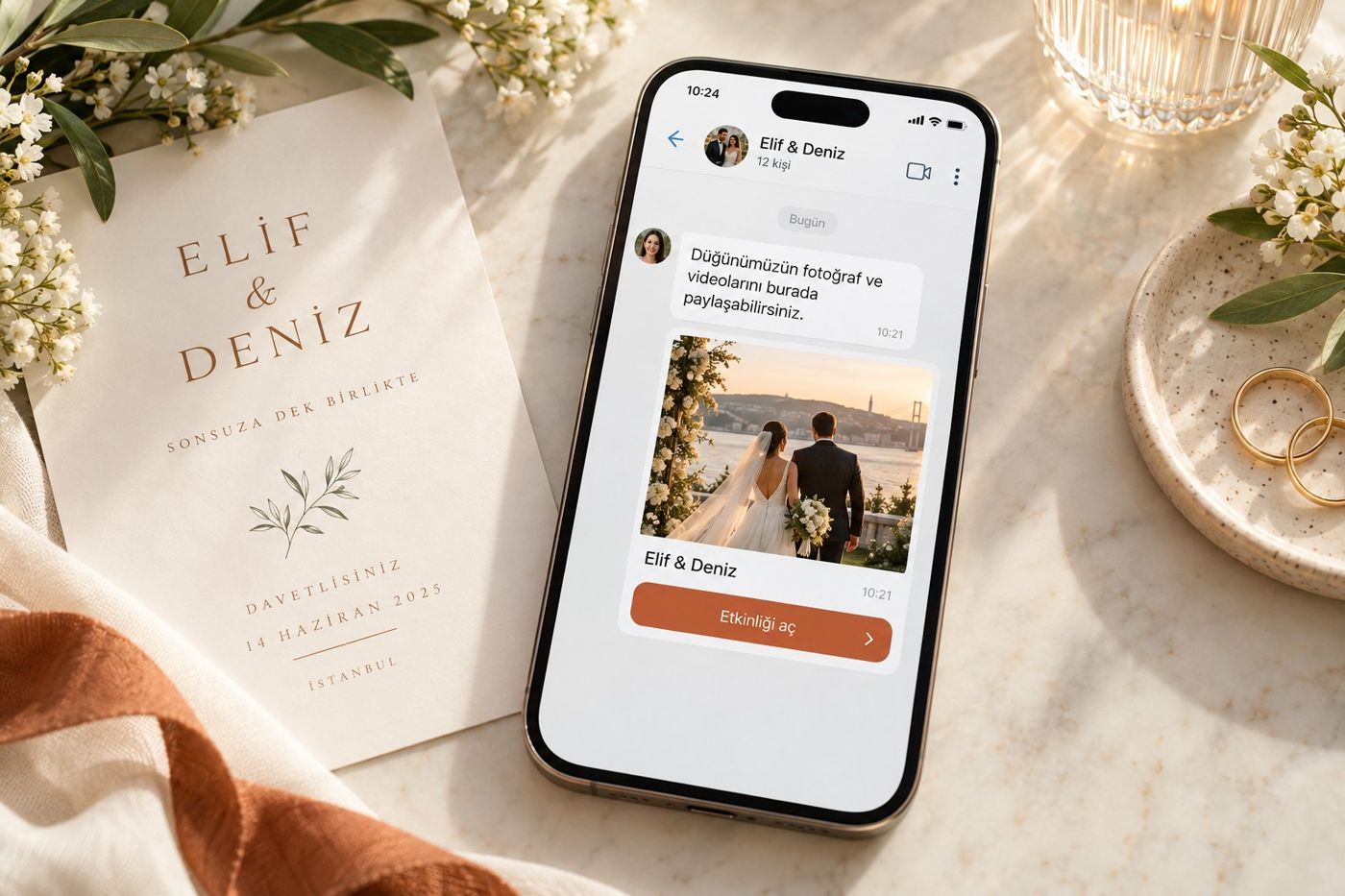
  • Sample message on a phone sharing the event link with guests.

    Link before the event

    Share the event link in advance in WhatsApp groups or by email.

Use ready-made designs.

Add your event’s QR code to the welcome board and table card designs in the panel. You arrange printing yourself; printed items are not included in the package.

You can also share the event link on your website or your Linke page.

Sample

How should people enter the event?

Choose how a visitor who opens the link or scans the QR code gets in.

How should people enter the event?

Anyone who opens the link or scans the QR code enters the event directly.

Sample

How long should the event stay open?

Choose 30, 45 or 60 days for how long the event stays published.

How long should the event stay open?

Selected period: 30 days

During this period, access, download and sales options stay open according to your event settings. Upload capacity depends on your package.

Track your event’s statistics and sales in one panel.

Track gallery visits, people uploading content, uploaded photos and videos, views and downloads. When you turn on sales, follow digital sales, print orders and payments in the same panel.

Sample data

Event summary

Gallery visits
1,240
Uploaded items
860
Views
5,320
Downloads
410
Digital sales
36
Print orders
12
Payment tracking
Active

Mobile use, multiple languages and your own brand

Manage events, galleries, orders and statistics from your phone’s browser too. You don’t need to install an app; guests also join in the browser via link or QR code.

  • Panel language

    Use the panel in Turkish, English or German.

  • Event language

    Set each event’s language separately from the panel language.

  • Visitors

    Visitors can view the event page in Turkish, English or German.

  • Logo, cover and colour

    Use your logo, cover image, intro video and colour on the event page.

  • Your own domain

    Present your galleries on your own domain; the domain must point to Momento.

CXR AI · AI support

A Momento expert for you, a brand assistant for your visitors.

Get help from the Momento expert with creating events and preparing album and access settings. The brand assistant, built from the information you share about your business, can answer the questions of visitors who come to the event.

Momento expert character
For you

Momento expert

Helps the business owner

Get help with creating events and preparing album and access settings.

Sample conversation

You: How do I open a wedding event and organise the albums?

Momento expert: Create the event first. Add albums such as welcome, first dance and celebration, then set each album’s visibility and download option.

Brand assistant character
For your visitors

Brand assistant

Answers your visitors’ questions

Built from the information you share about your business, the brand assistant can answer visitors’ questions.

Sample conversation

Visitor: How do I find my own photos?

Brand assistant: Once you are in the event, take a selfie or upload a photo in the Find Me section. If there are matching photos, you can view them with the options the event allows.

One CXR account
Shared brand memory

Access every CXR app with one account. Manage your apps, trials, packages and subscriptions from your shared account.

The information you share is ready when you move to another CXR app; you don’t have to explain your brand again in each one.

The Momento expert helps you during setup and the brand assistant helps your visitors, both with the same brand information.

Each app is billed separately with its own package or subscription.

  • Business details
  • Logo and colours
  • Products, services and content
CXR AI brand memory

Used across all CXR apps

  1. Linke
  2. Catalog
  3. Menux
  4. Eventix
  5. Momento
  6. Selecto

How do you want to use Momento?

  • Momento Event

    Collect photos, videos and messages from your guests and participants.

    Event details
  • Momento Pro

    Publish the photos of events you shoot; manage downloads, digital sales and print orders.

    Pro details
  • Momento Business

    Manage the events, photographers, galleries and sales options of your venue or organisation.

    Business details

Momento Event

Collect photos, videos and messages from your guests and participants.

Create your event and share its link or QR code. Guests and participants upload the photos and videos they take with their phones and send their messages. Collect every contribution in one event — from weddings, engagements and private parties to company meetings and launches.

Decide in the event settings whether uploaded content appears in the gallery. Guests and participants can also choose to send their contributions only to the event owner.

Sample

Event settings

Sharing

Visibility

Personal sharing preference

Contributions appear in the gallery according to your event settings.

Momento Pro

Publish your event shoots as albums.

Upload photos, sort them into albums and share them with your clients. Set gallery and album access, download options and sales terms for each event. Momento Pro also includes the Momento Event features.

  1. Albums for each event

    Welcome, first dance, cake and jewellery at a wedding; ceremony, classes and celebration at a graduation; speakers and sessions at a corporate event. Switch the gallery or specific albums on and off.

  2. Publishing and download preferences

    Publish photos with or without a watermark. Choose free downloads or paid digital sales according to your agreement with your client.

  3. Digital sales and prints

    Manage digital photo sales and print orders in the panel; switch cash or online payment options on and off for each event.

  4. Shared contributions

    Invite the event owner; if you like, let guests send photos, videos and messages.

  5. Your own brand and domain

    Present your event galleries with your own brand and domain.

Sample
Publishing and download preferences

Viewed and downloaded without a watermark

Wedding photo: bride and groom kissing, surrounded by falling petals and guests

The photo is shown and downloaded without a watermark.

Your visitors’ payments for digital photos and prints are your sales and are separate from the Momento package fee. The terms for online collection are agreed separately before sales are switched on.

Momento Business

Manage your events, photographers and galleries together.

Create events for your wedding hall, venue or organisation. Invite photographers to your events; manage professional shoots and participant contributions. Momento Business includes the Momento Event and Momento Pro features.

Set the gallery, albums, download options and sales terms per event. Track digital photo sales and print orders. Use it for anything from weddings and graduations to company events, festivals and marathons.

Sample

Events and photographers

  • Wedding Photographer A
  • Graduation Photographer B
  • Corporate event Photographer C

Momento packages

Choose how you use Momento and see what each package covers.

Momento is used with one-off event packages, not a subscription. When you publish an event, 1 Event credit is used for guest contributions and 1 Pro credit for publishing professional photos; if both are on, both credits are used.

Current packages couldn’t be loaded right now. You can see them in your CXR account.

Open your account and try Momento free for 7 days. No credit card needed for the trial.

Open a CXR account

Let our team set up Momento

You can prepare your event, albums and sharing settings yourself with the help of the Momento expert. If you prefer, leave the setup to our team.

The current price of the setup service is shared on request.

The setup service is optional and separate from the package fee.

Getting started is easy

  1. Sign up for free.

    Start your 7-day free Momento trial with one CXR account.

  2. Prepare your event.

    Set your albums, access method and sharing settings. Get help from the Momento expert.

  3. Share the link and QR code.

    Publish the event; guests share their photos and find their own shots with Find Me.

Discover the other CXR apps

Use the other apps with your one account. Each app is billed separately and is not included in your Momento package.

Blog and guides

Guides to collecting, sharing and delivering event photos.

See all articles

Frequently asked questions

Which events can Momento be used for?

From weddings and private parties to graduations, company events, sports events, festivals and trips — any event with photos, videos and contributions.

What is the difference between Event, Pro and Business?

Event focuses on guest contributions, Pro on the photographer’s shoot and sales, Business on a venue or organisation managing several events. Pro includes the Event features; Business includes the Momento Event and Momento Pro features.

Can I use Momento on my phone? Do I need to install an app?

You can use the panel and the visitor experience in a computer or phone browser. Neither you nor your guests install an app.

Which languages can I use?

The panel is available in Turkish, English and German. You choose each event’s language separately; visitors can switch the event page between these three languages.

How many photos can I upload to an event?

Upload capacity depends on your package and event settings. What each package covers is shown in the Packages section.

Can guests and participants send photos, videos and messages?

If the event owner turns on content sharing, guests and participants can enter via the event link or QR code and send photos, videos and messages.

Does everyone see the photos I share?

Event and sharing settings decide visibility; a guest can choose to share privately with the event owner only.

How does Find Me work?

The visitor takes a selfie or uploads a photo of themselves to search for matching event photos. Results come from the photos published in the gallery and are not guaranteed.

Is the selfie uploaded for the search stored?

A selfie taken or uploaded for the search is stored to show in the search history and is deleted automatically after 30 days. This period doesn’t cover photos published in the gallery. Details are in the biometric data texts under Legal information.

Can I choose how people enter the event?

The link or QR code is how the event is shared. Visitors can enter directly, or you can use PIN or email-code entry.

How long does an event stay open?

When you create the event you choose a publishing period of 30, 45 or 60 days.

Can people download photos for free?

The photographer or event manager decides between free downloads and paid digital sales.

Can I take print orders?

Print orders can be managed with Pro and Business. Your visitors’ payments are your sales and are separate from the Momento package fee.

Can I see statistics if I don’t sell?

Yes; usage data such as visits, uploads, views and downloads can also be tracked.

Can I use my own domain?

Yes. You can present your galleries on your own domain; for this, the domain must point to Momento. You can use your logo, cover image and colour on the event page.

What is the difference between the Momento expert and the brand assistant?

The Momento expert helps you with creating events and album and access settings. The brand assistant answers your visitors’ questions with the business information you share and points them to the right section.

Is there a free trial?

Yes. Open your CXR account and try Momento free for 7 days. No credit card needed for the trial.

Can your team do the setup?

Yes. You can set up Momento yourself with the help of the Momento expert. If you prefer, you can request the optional setup service; it is billed separately from the package fee.

Can I get a refund for a package?

Send cancellation, withdrawal and refund requests via Support or to support@cxr.app. Details are in the Subscription, Renewal, Cancellation and Refund Policy under Legal information; your statutory rights remain unaffected. Refunds for photos and prints your visitors buy from you are subject to your own terms of sale.


Get Momento ready for your next event.

Create your event and set your galleries and sharing settings. Guests find their photos; you manage downloads, sales and orders in the same panel.

Momento setup service request

Tell us briefly about your business and the event you want to prepare.
An optional service, separate from the package fee. We agree the scope and price of the setup with you.
If you have an account, enter its email address.

Visual Memory Works GmbH processes the personal data you submit in this form to assess and answer your request. Details and your rights: Privacy notice for contact and support requests.